Symbol Bridge
ChartBridge Symbol Bridge
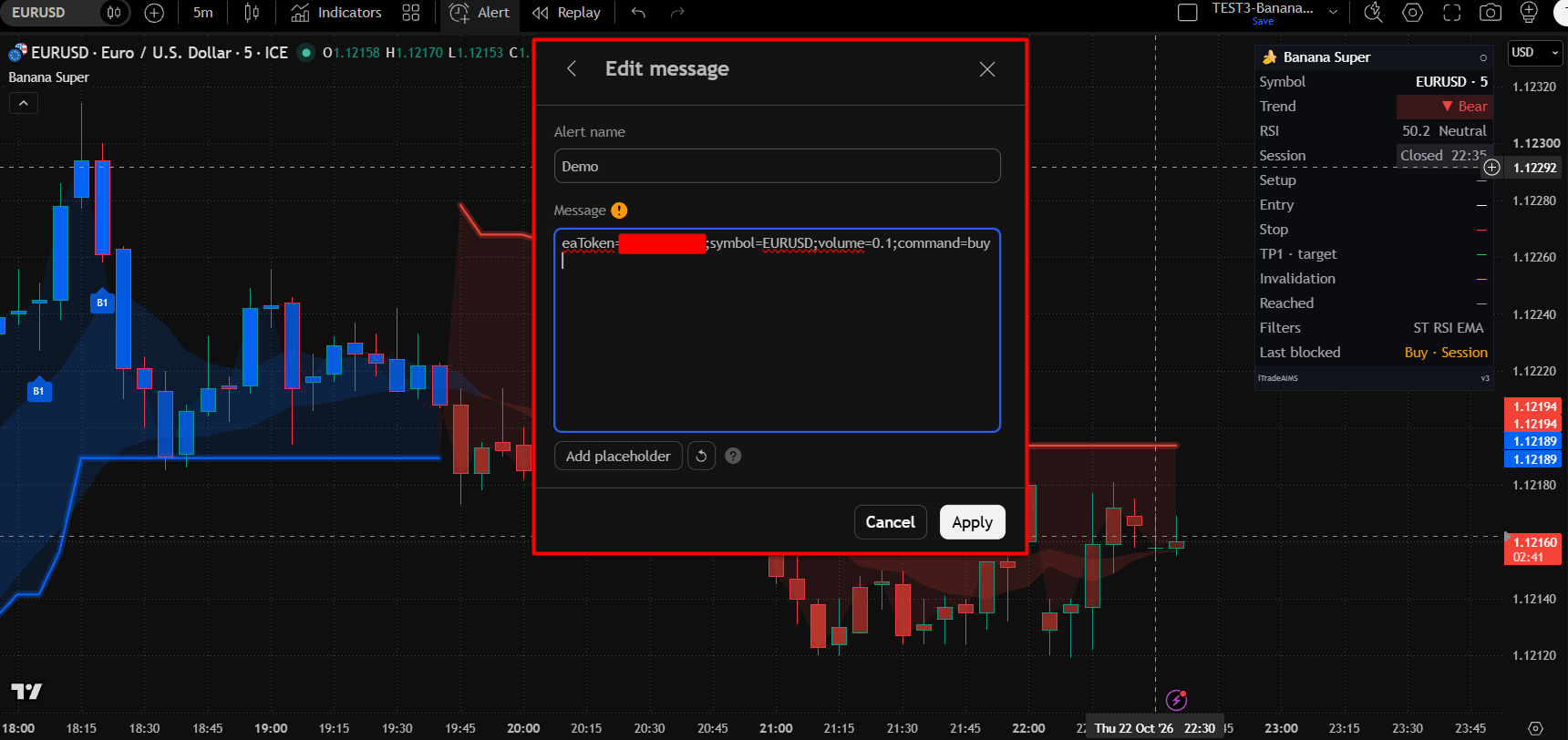
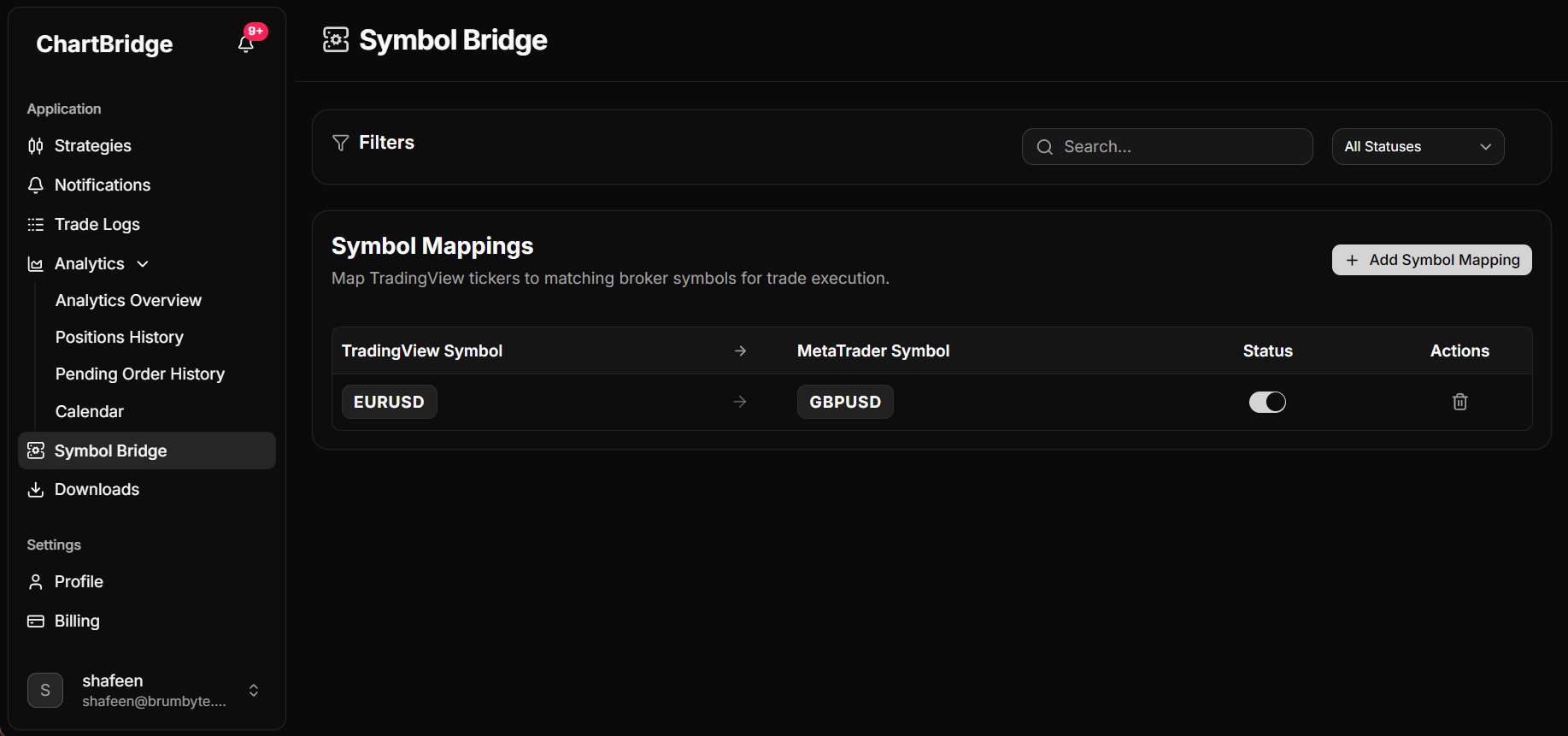
Symbol Bridge automatically translates incoming symbols from your TradingView alerts to the symbols used on your MetaTrader 5 account. For example, mapping EURUSD to GBPUSD.
When an alert arrives with the original symbol, ChartBridge replaces it with the mapped symbol before sending the trade to your MetaTrader 5 terminal.
How to add a symbol mapping
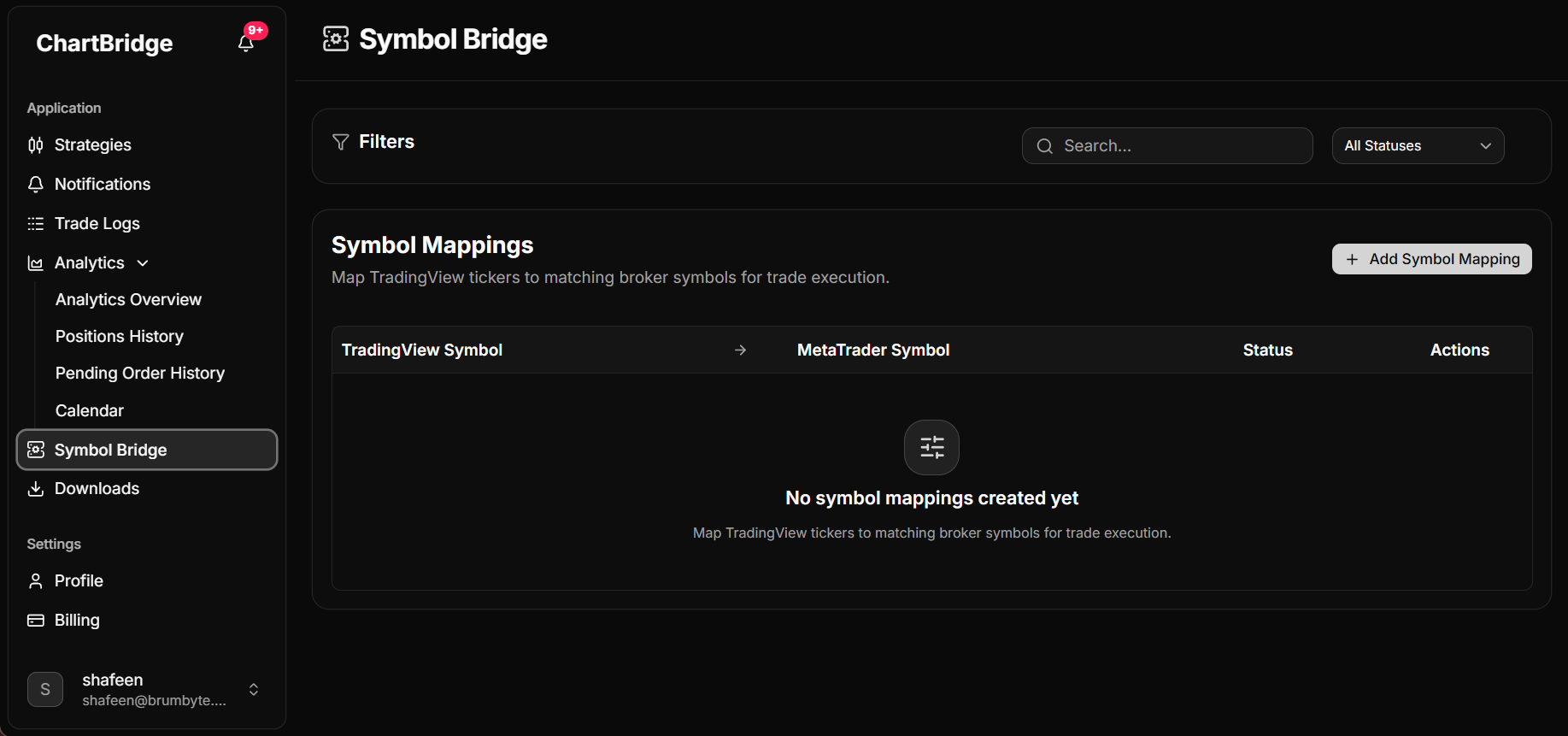
- In the ChartBridge Portal, open Symbol Bridge from the left sidebar (or navigate to https://staging.chartbridge.com/home/bridge).
- Click the + Add Symbol Mapping button.
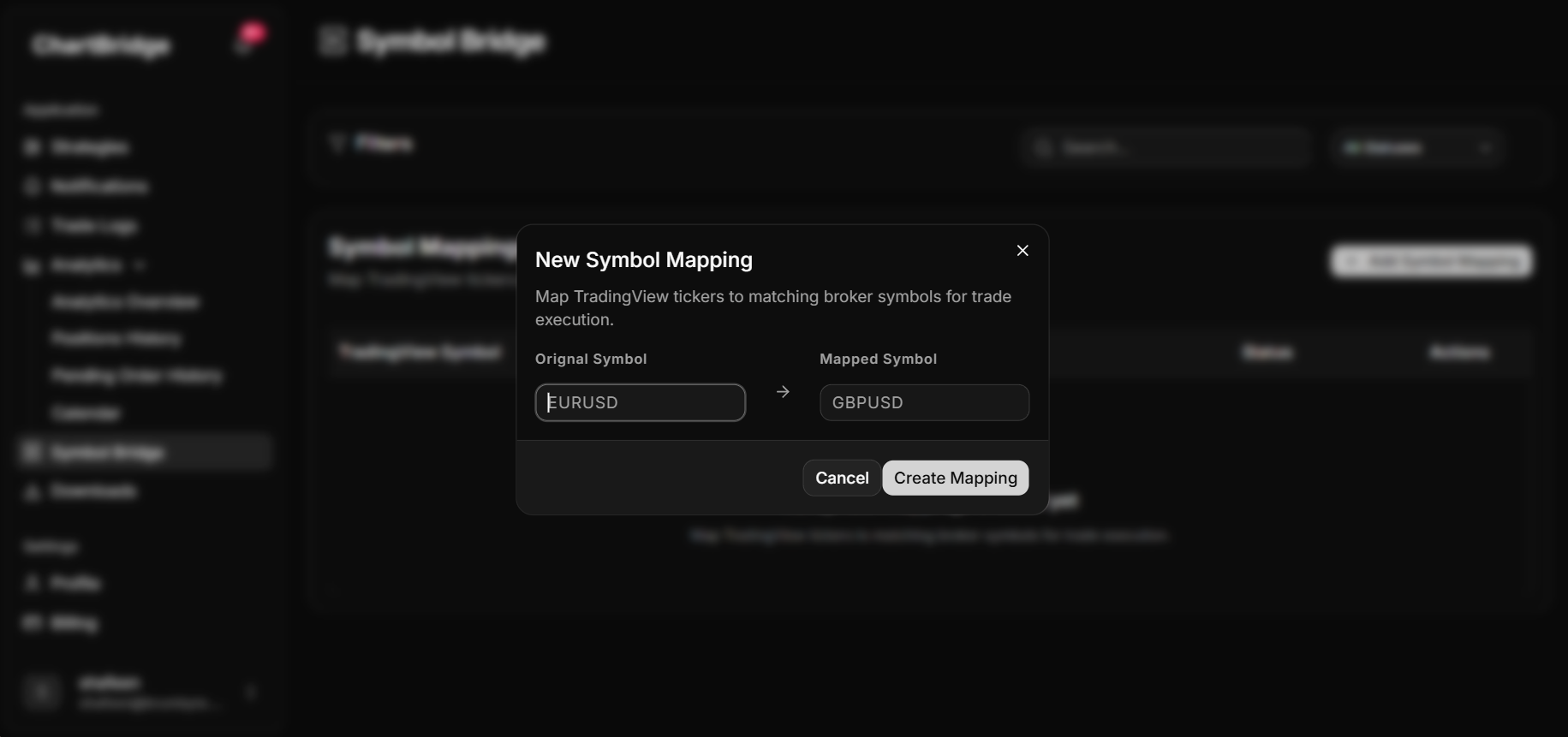
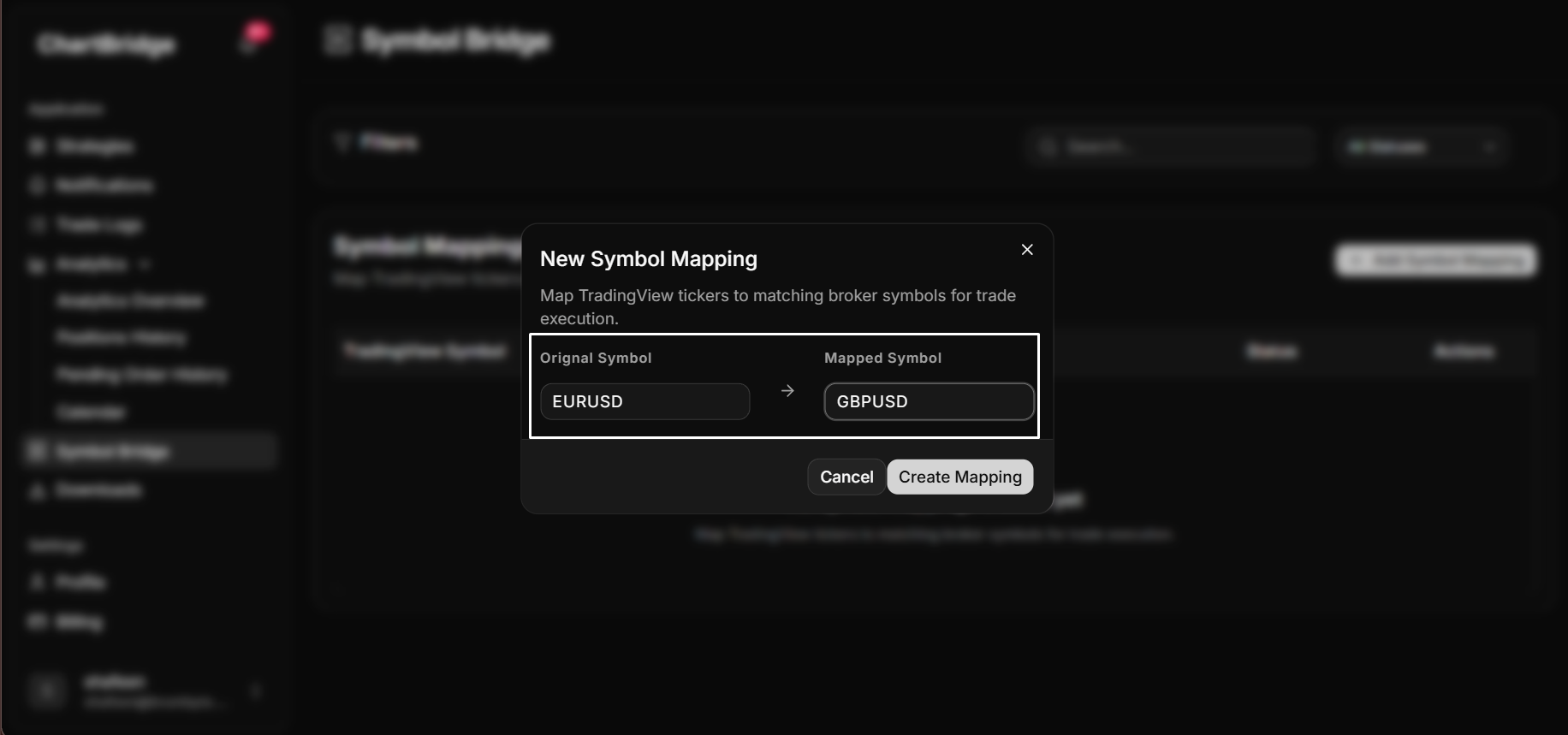
- In the New Symbol Mapping dialog:
- Original Symbol: Enter the symbol sent by your alert (example: EURUSD).
- Mapped Symbol: Enter the symbol to trade on MetaTrader 5 (example: GBPUSD).
- Click Create Mapping.
Managing mappings
Enable or disable Use the toggle switch in the table to turn a mapping on or off. When disabled, incoming alerts execute using their original symbol without translation.
Delete a mapping Click the trash icon on the right side of any mapping row to remove it.
Verifying your mapping
- Send a test alert from TradingView using your original symbol (example: symbol=EURUSD).
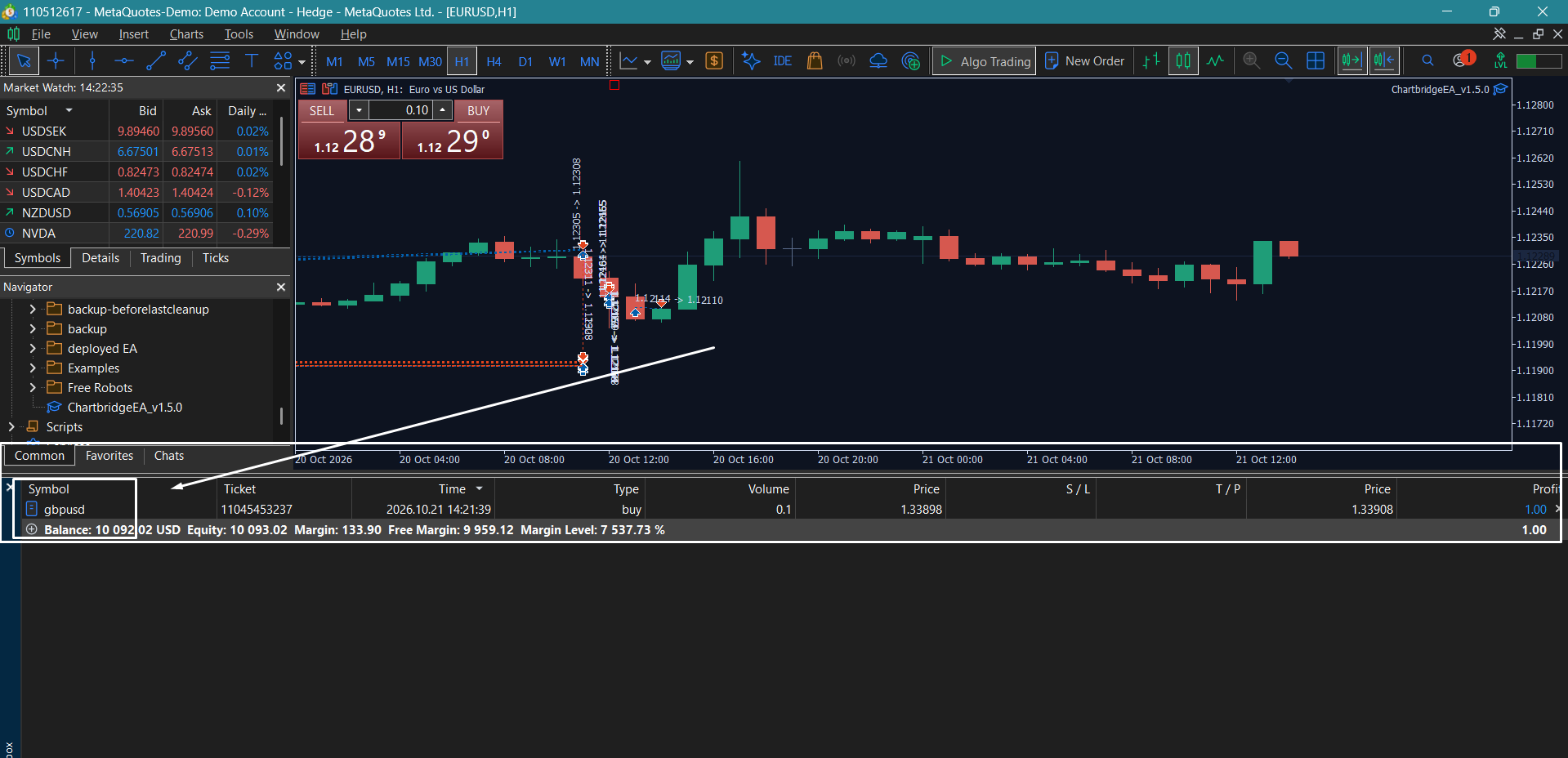
- Check your MetaTrader 5 terminal: the position will open under the mapped symbol (example: GBPUSD).